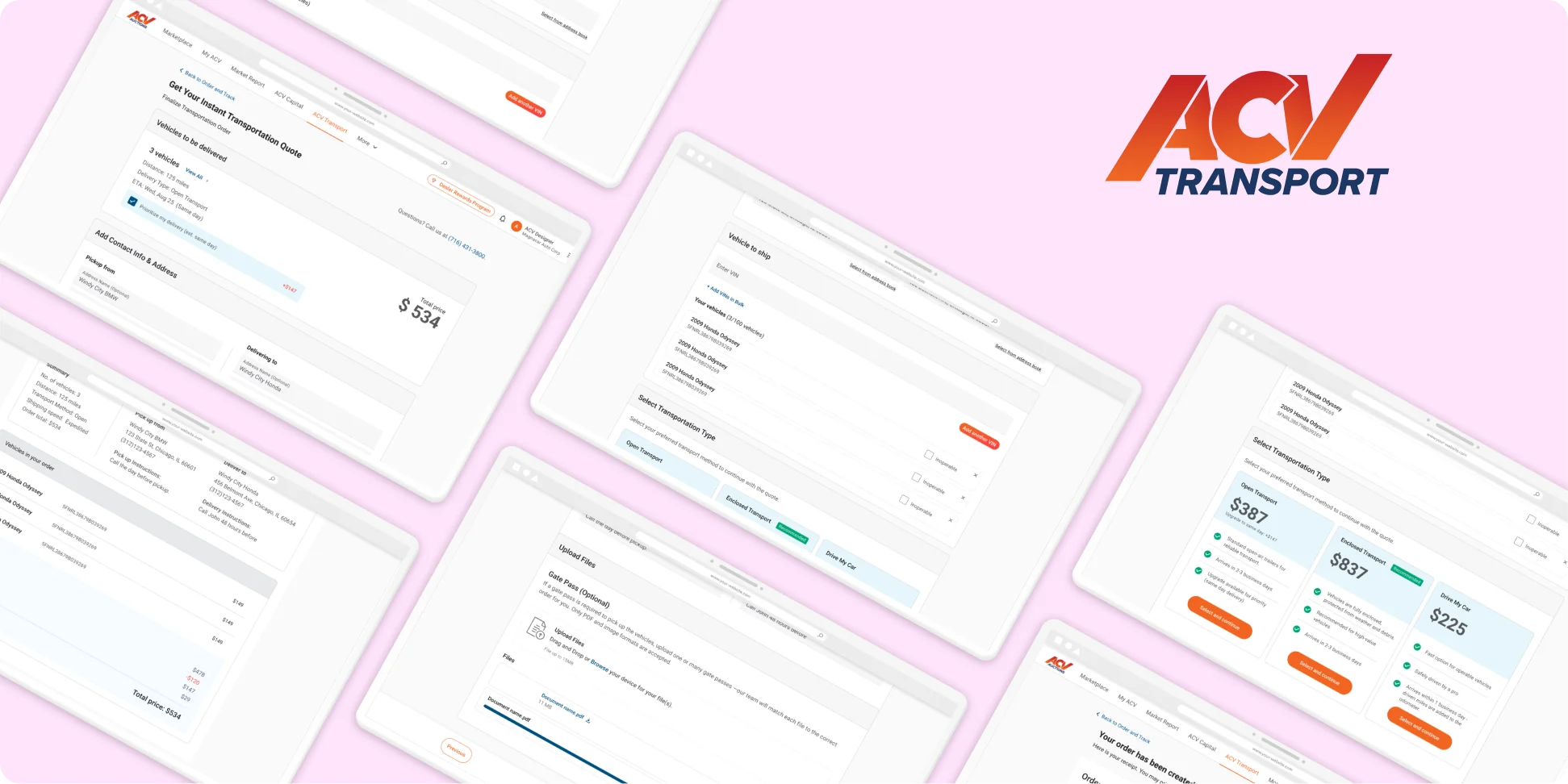
01 · The problem
Pick first, find out later.
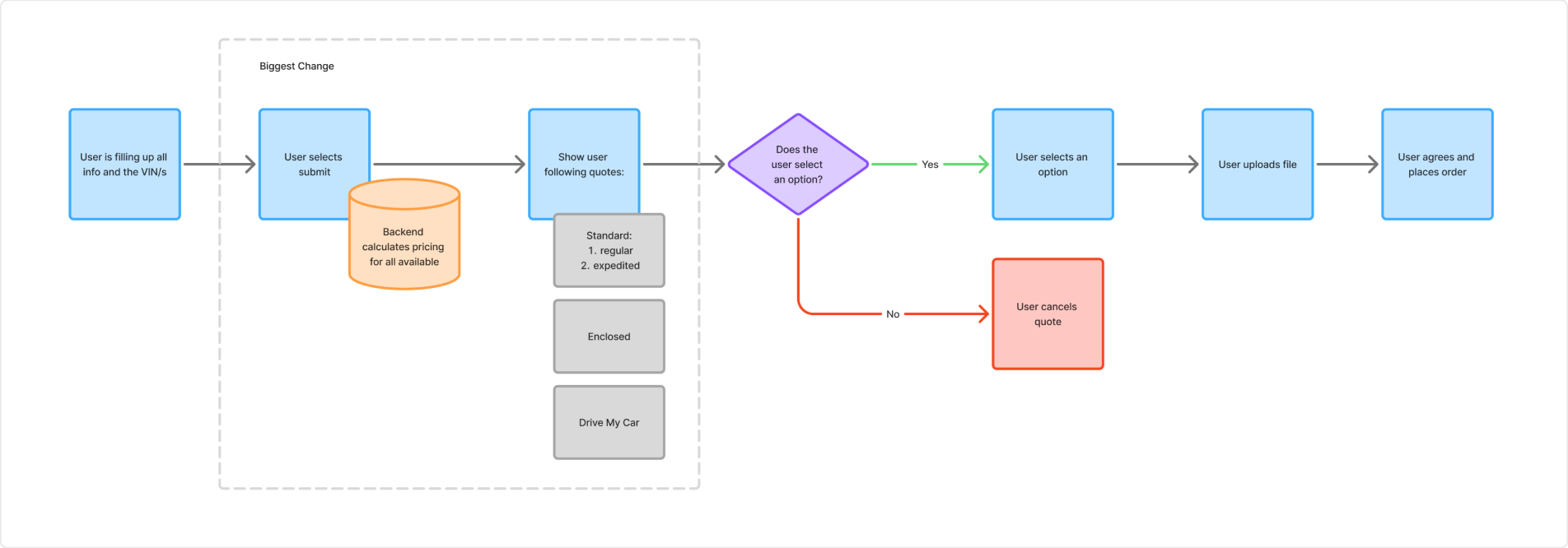
Dealers got transport quotes from a cramped side drawer. Before entering a single VIN, they had to pick Open, Enclosed or Drive My Car from a toggle. Nothing had been checked yet, so choosing Enclosed for a car that couldn't ship enclosed led straight to an error. Back up, try again, hope for the best.
Pricing wasn't much clearer. Dealers saw one total with no way to tell which car was driving the cost. And because the toggle was hard-coded, there was nowhere to add expedited delivery without squeezing a fourth button into a control that was already overpromising.
02 · How I led it
The flaw was in the flow.
The evidence was already there. I audited every point where a quote could fail and found the root cause: a form asking dealers for a decision before it had the information to support it.
From there, I worked with my PM, dev manager, and front-end and back-end engineers to redraw it so pricing happens first. Together we landed on an approach that prices every option without bogging down the dealer's browser, and made sure no failure case ended in a dead end.
03 · How it works
Prices that keep up with you.
We flipped the order and made it live. As soon as a dealer adds zips and a VIN, the backend prices every service type, and each new VIN updates the quotes in real time. Dealers watch their options take shape as they build the order, then choose at the end.
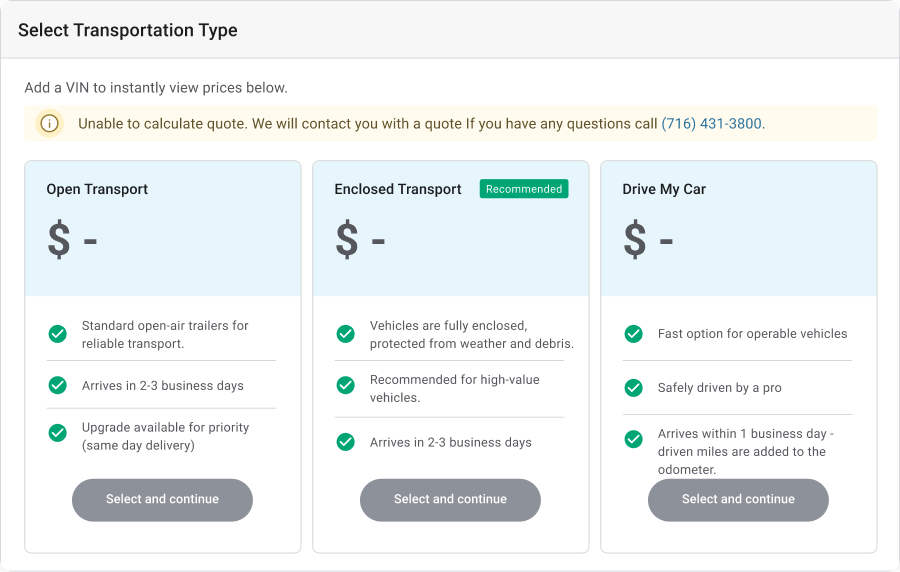
Each service type is its own card with a price, ETA and what's included. Expedited didn't need its own button; it lives inside Open as a same-day upgrade. When Transport adds a new service, it's just another card.
Each car shows its own cost, so one oversized SUV can't hide inside a 30-car total.
Most errors are caught as a VIN is entered, before the dealer ever hits submit. The ones that can't be caught early show up on the vehicle that caused them, with a clear next step.
04 · The full flow
Quote to confirmed order, in five steps.
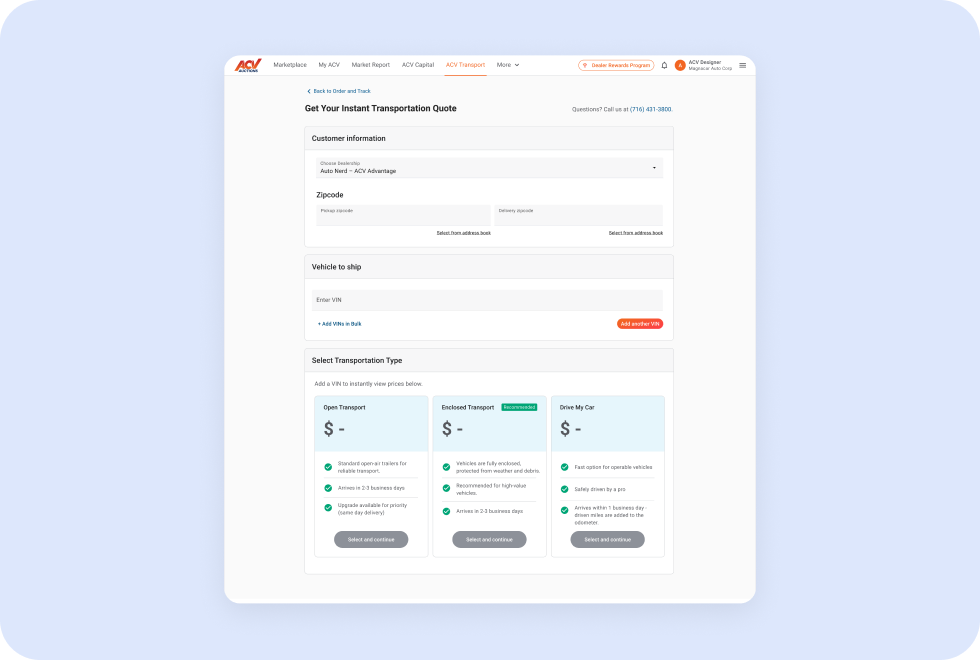
Start a quote
Pick a dealership, add pickup and delivery zips, and drop in VINs one at a time or in bulk.
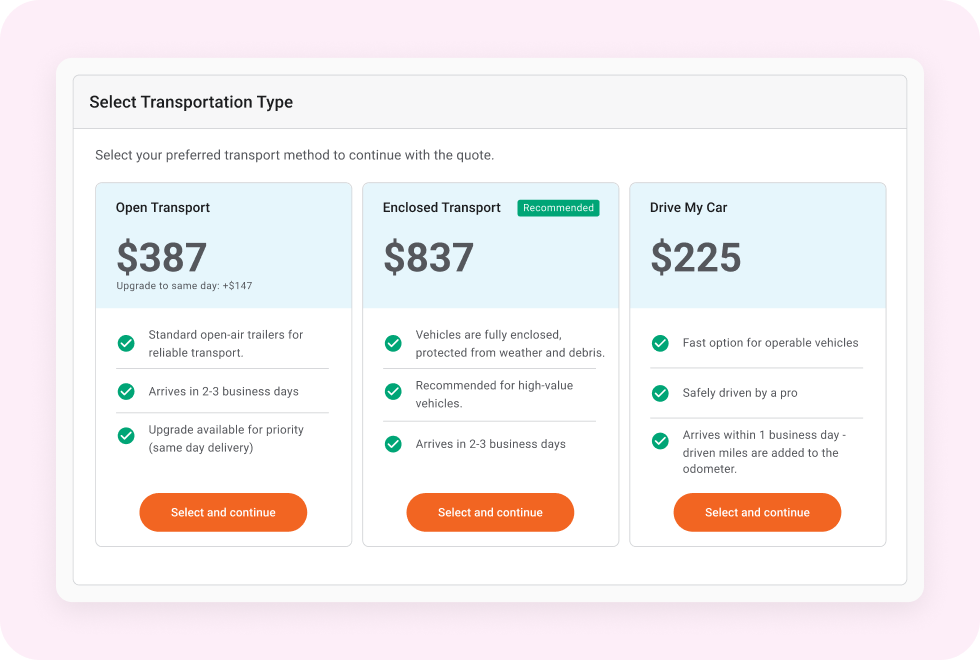
Compare live quotes
Prices update live as each VIN is added, so dealers see every quote upfront.
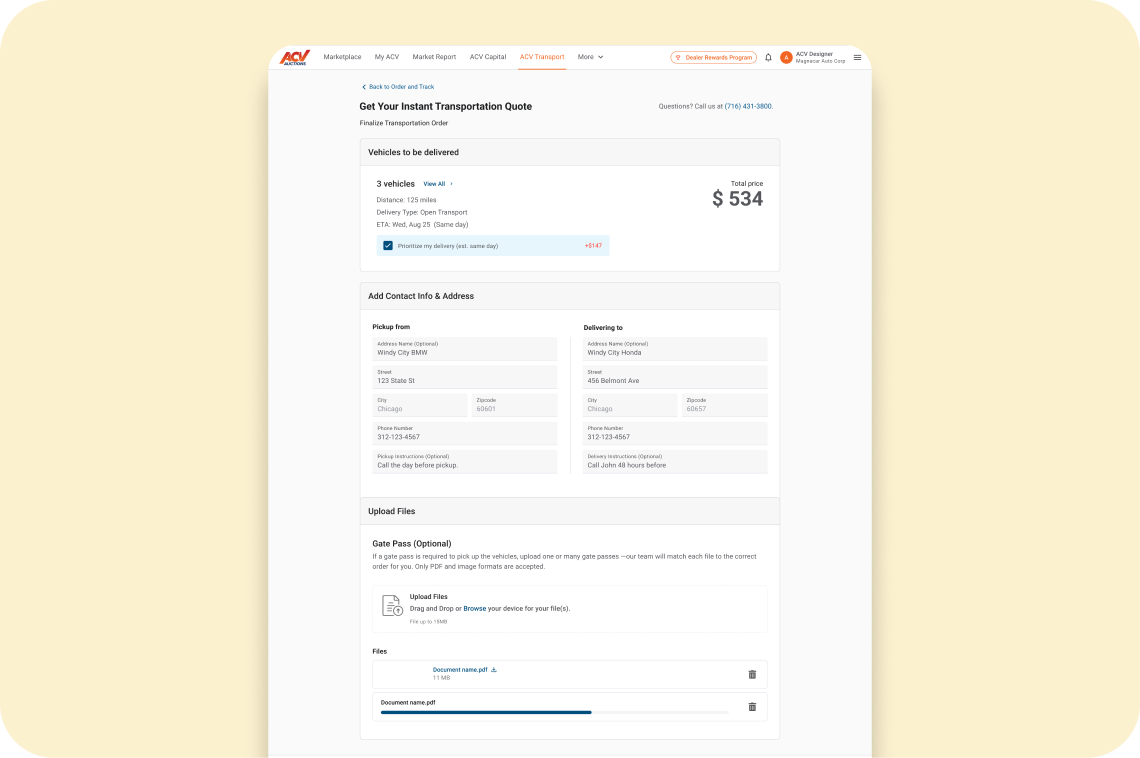
Add contacts + files
Pickup and delivery details pull from the address book, and gate passes upload in one spot.
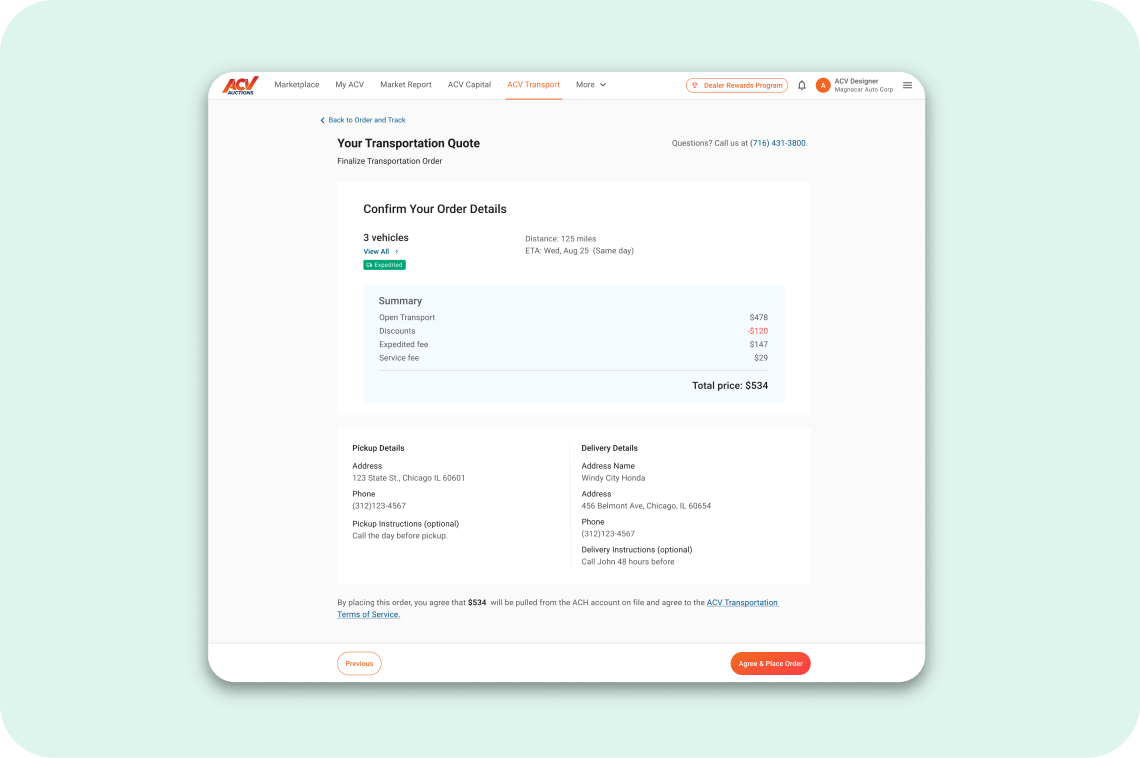
Confirm the order
One last look at per-vehicle costs, fees and delivery details before booking.
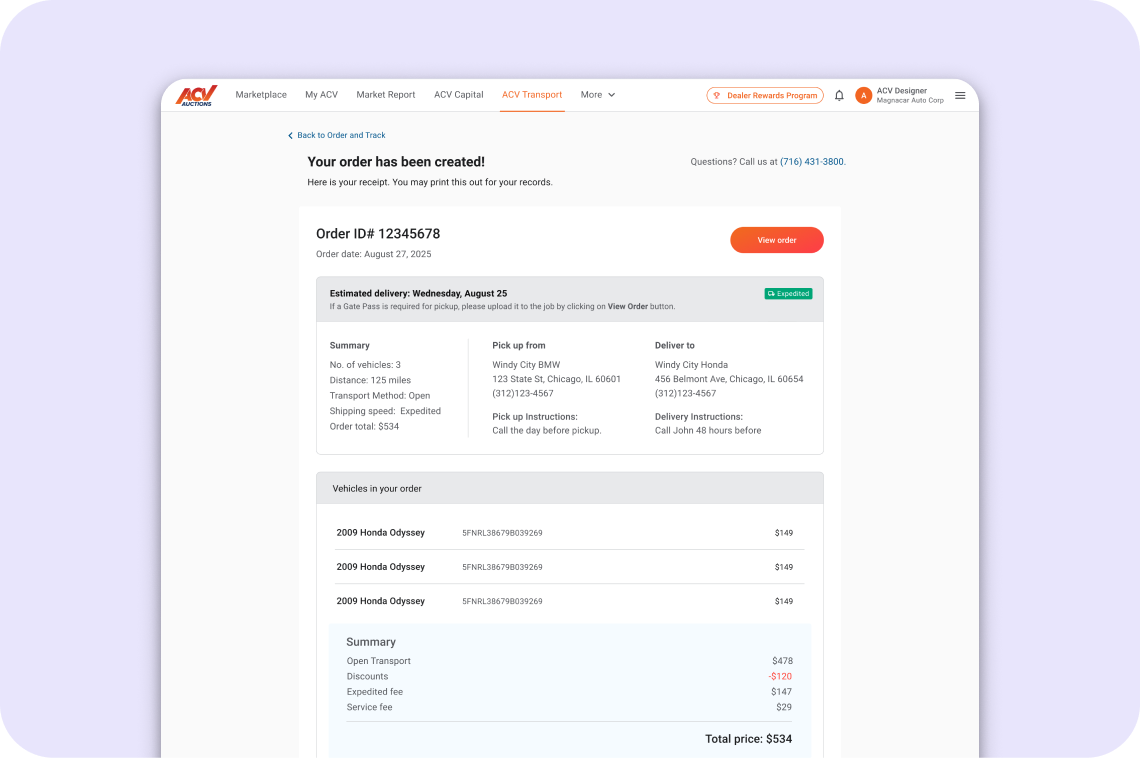
Order created
An order ID and a full receipt the dealer can save, print and track against.
Sample error states
Invalid, duplicate, already shipping or still in Marketplace. Each VIN tells the dealer what went wrong and what to do.
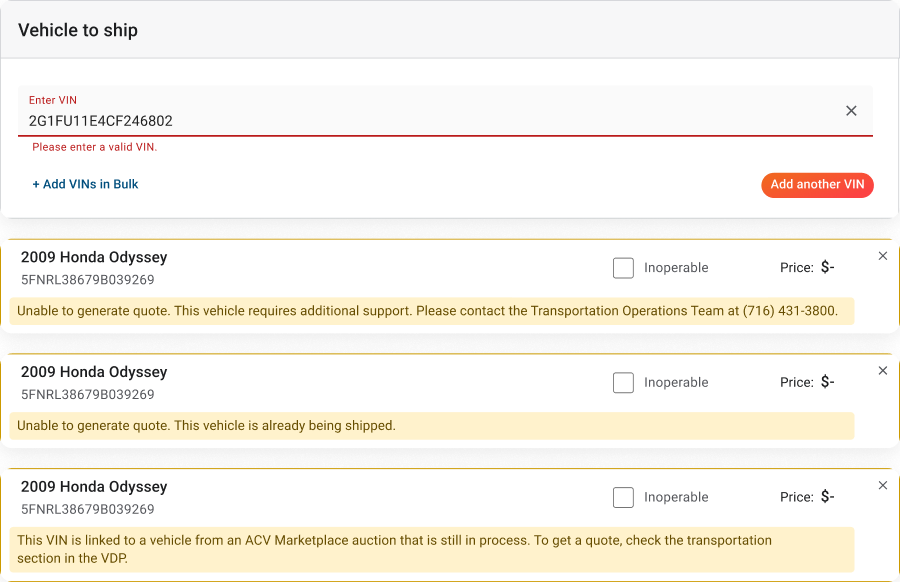
When a quote can't be calculated, prices fall back to “$ –” with a clear next step instead of a dead end.
05 · Currently...
In build. Here's how we'll know it worked.
06 · What I'd tell you
Don't underestimate the simple flows.
Great experience starts even at the smallest project.
The flows that look simple are the ones people overlook most often, and that's where small details decide whether someone trusts the product. Give every flow the same care, no matter how small the project is.
More case studies
Thanks for reading.
Head back home, or browse the rest of my work.