Dash Cam · iOS and Android companion app

A camera on the windshield,
and an app that makes it useful.

I designed the on-camera screens and the companion app for iOS and Android.

Role Product designerClient Rand McNallyPlatforms Camera, iOS, AndroidYear 2018

Problem

Drivers had to find and share footage from a small camera screen and a phone.

Solution

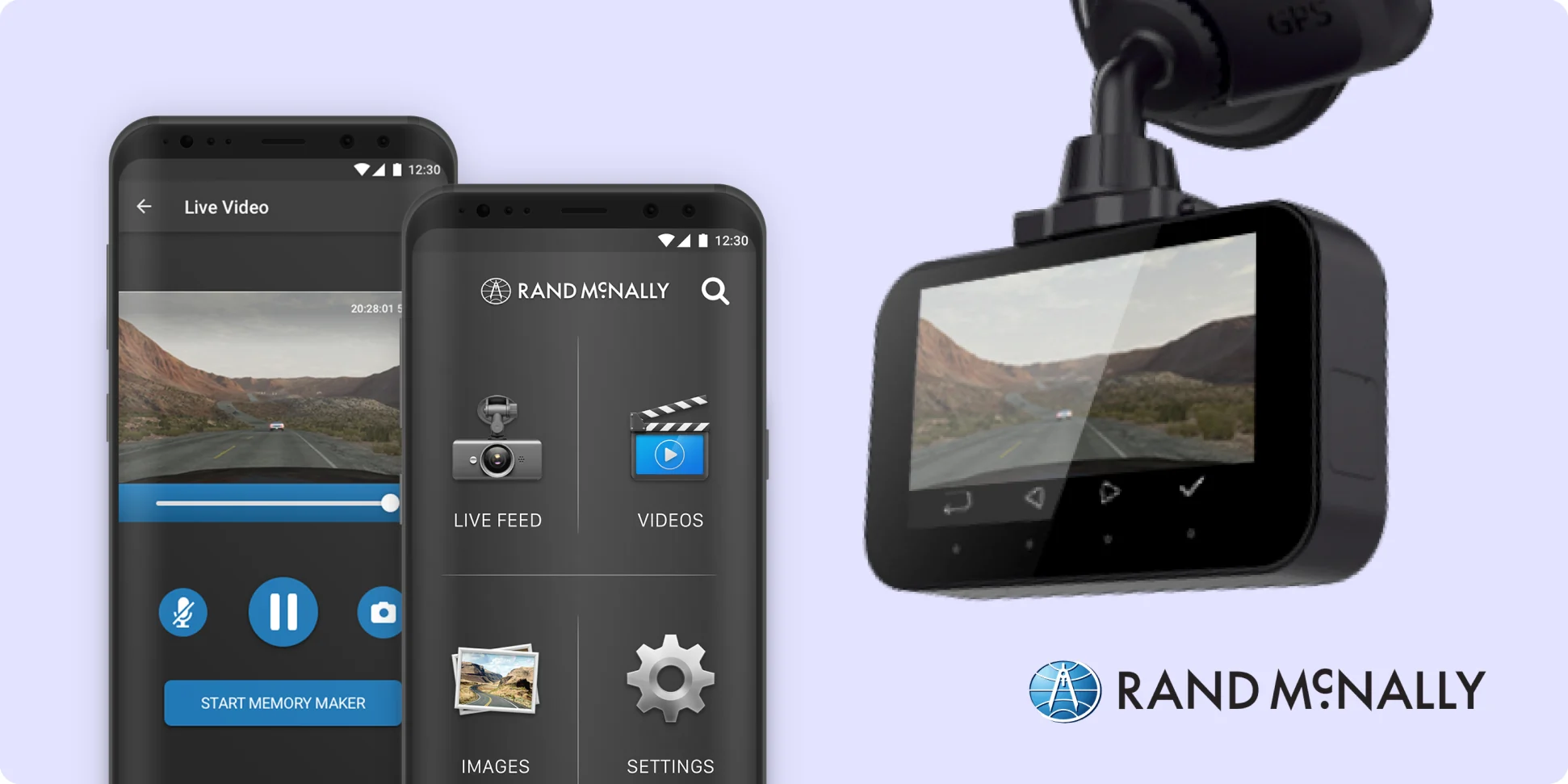
Designed the on-camera screens and the companion app: live view, galleries, emergency clips and geolocated playback.

Results

Shipped to nationwide retailers, including Best Buy and Amazon.

Rand McNally dash cam with its Android app showing live video and the home menu

01 · The brief

Footage is only useful if you can find it,
and share it.

Truckers live on the road, and the dash cam records everything in case something goes wrong, like an accident. Clips save right on the camera. The companion app connects to it and adds geolocation, so drivers can pinpoint where and when every photo and video was taken.

Before the screens

One flow for the camera and the app.

The flow chart that mapped the camera menu and the app side by side.
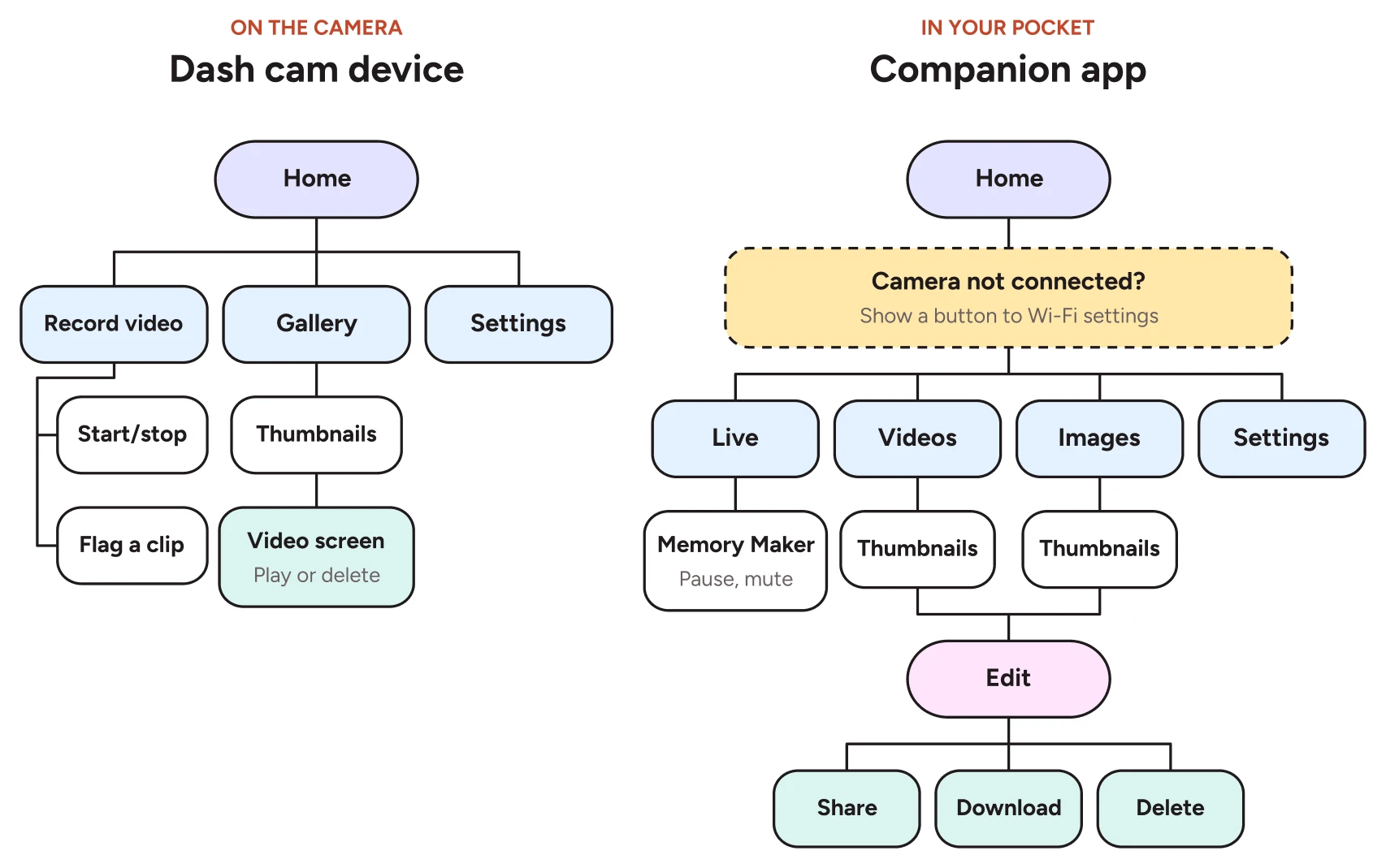
Flow chart: the dash cam device menu tree next to the companion app menu tree

02 · The screens

One camera, two apps.
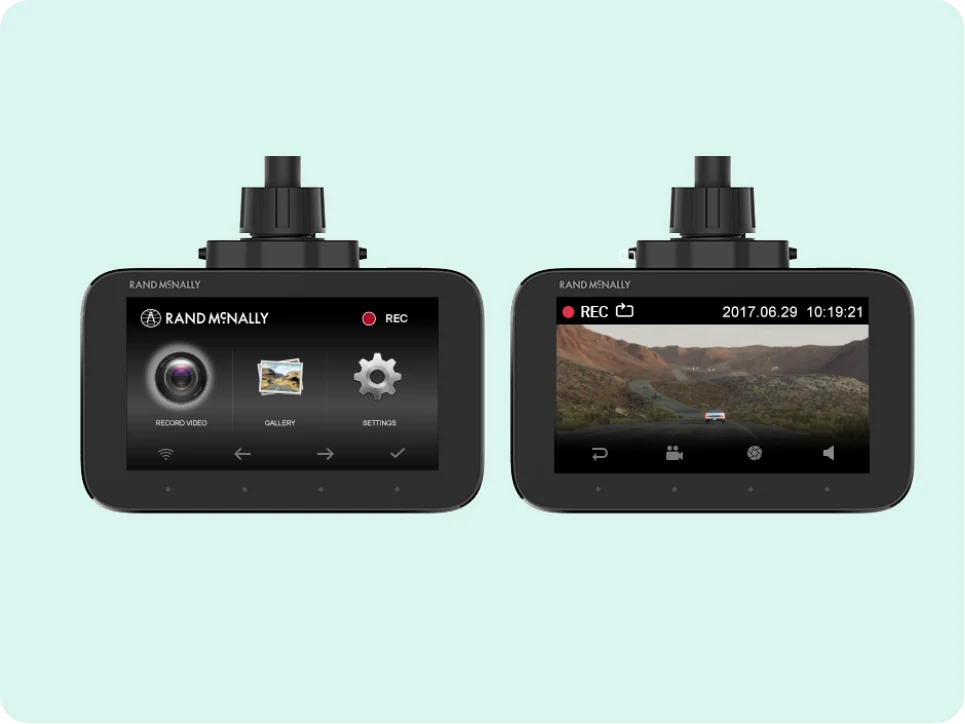
The camera home screen and live recording view
On the cameraBig targets and few choices, for a screen you glance at while parked.
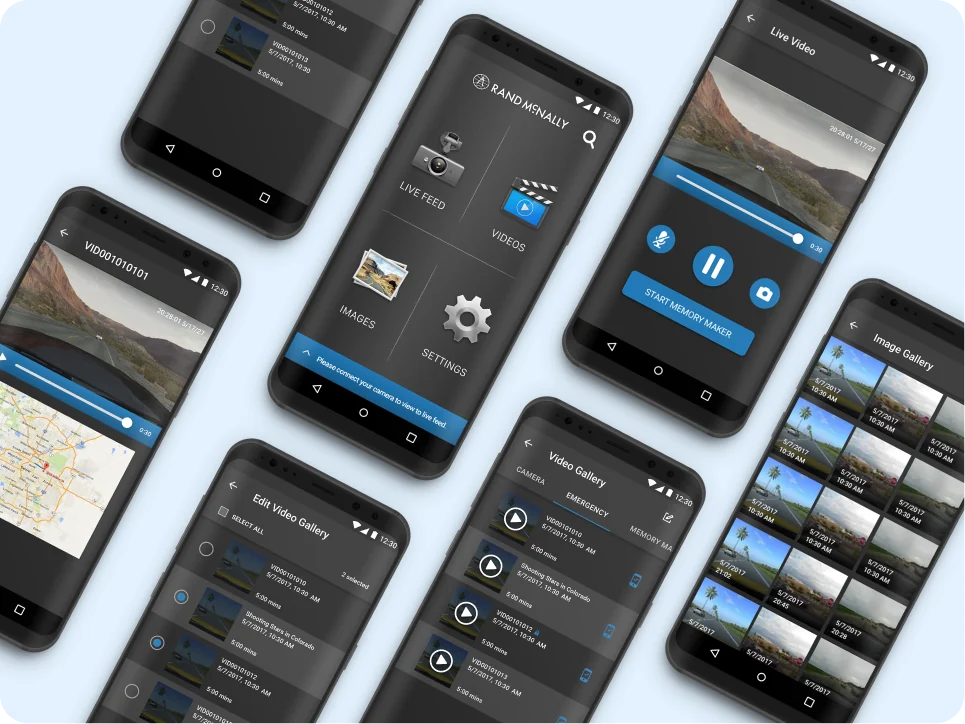
Android app screens: home, live video, galleries, editing and playback with map
Android appLive feed, galleries sorted into camera, emergency and Memory Maker clips, and one-tap sharing.
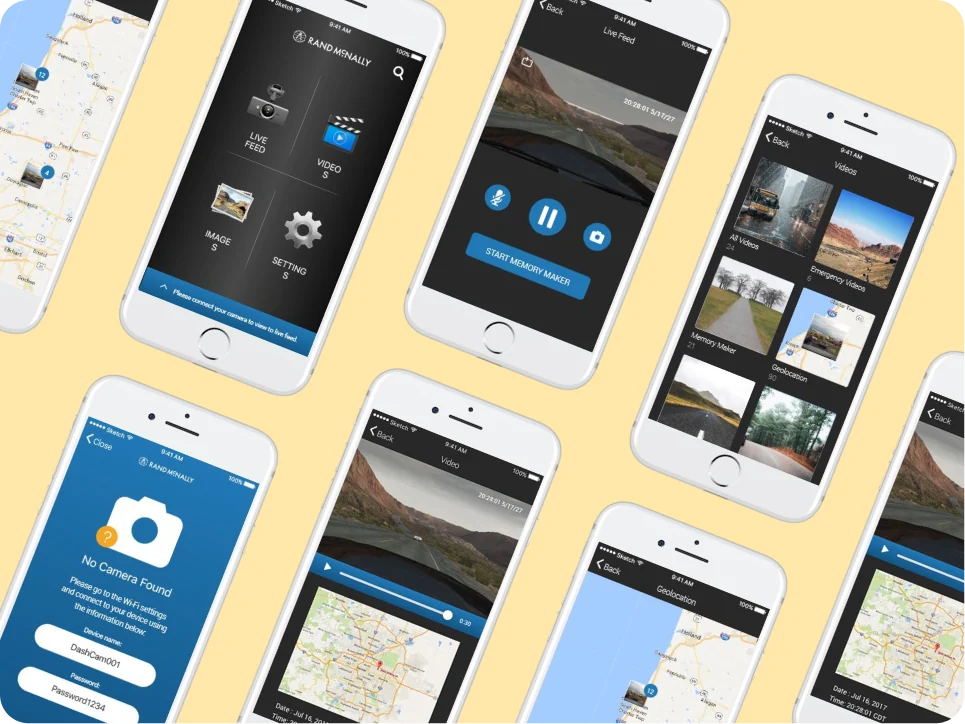
iOS app screens: home, live feed, video categories, geolocation and no camera found
iOS appGeolocated playback shows where a clip was recorded, with a clear fix when the camera isn't connected.

More case studies

Thanks for reading.

Head back home, or browse the rest of my work.

Back to top ↑