01 · The brief
ACV was already a player online.
The lanes weren't.
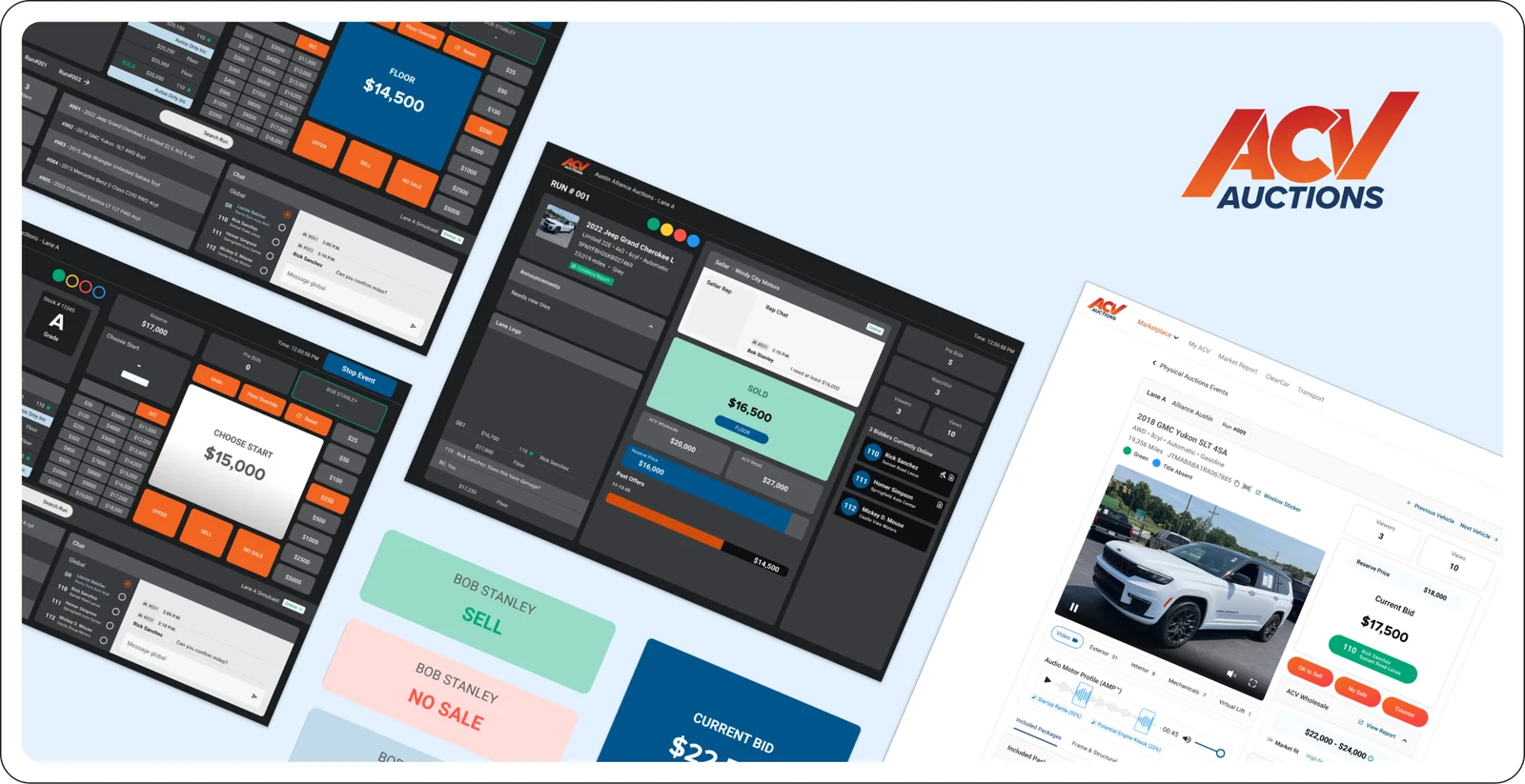
ACV built its name on online wholesale auctions, but its physical remarketing centers still ran live sales on third-party software. Every car was already listed on the ACV marketplace, with its condition report, photos and history. DigiCast brought that data into the lane, so online bidders on the marketplace and bidders in the room could compete for the same car at the same time.
The marketplace's lead product designer owned the buyer side. I designed the software that runs the sale itself, for the three people who run every sale, often in the same few seconds: the block clerk drives the system, the auctioneer calls the bids and the seller rep speaks for the seller.
02 · Austin
To design a live sale,
we went and watched one.
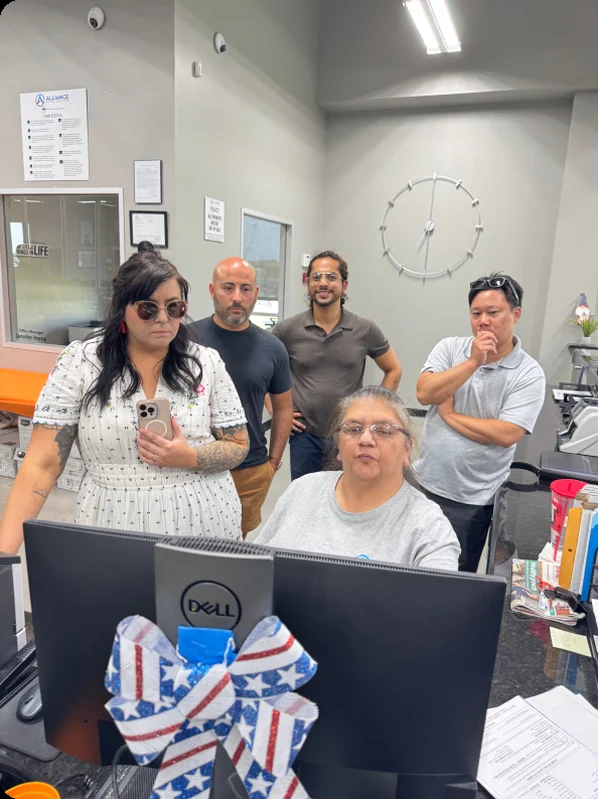
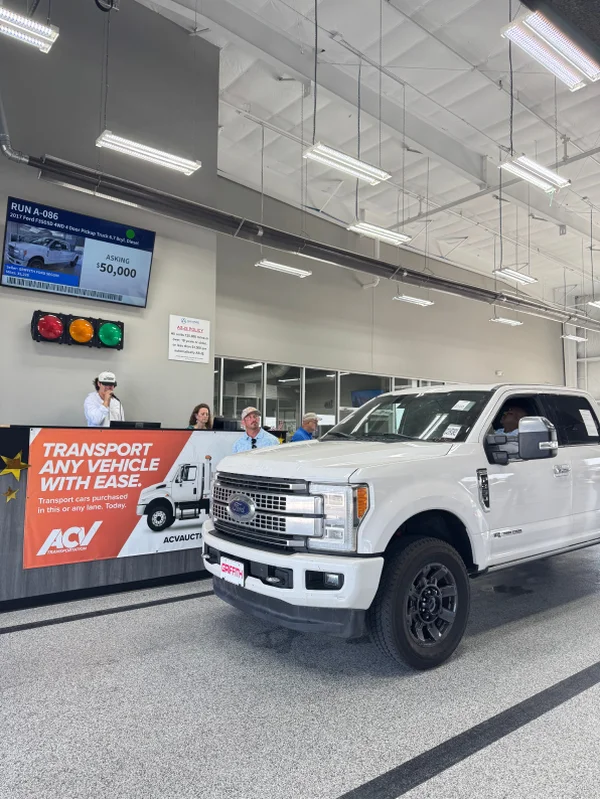
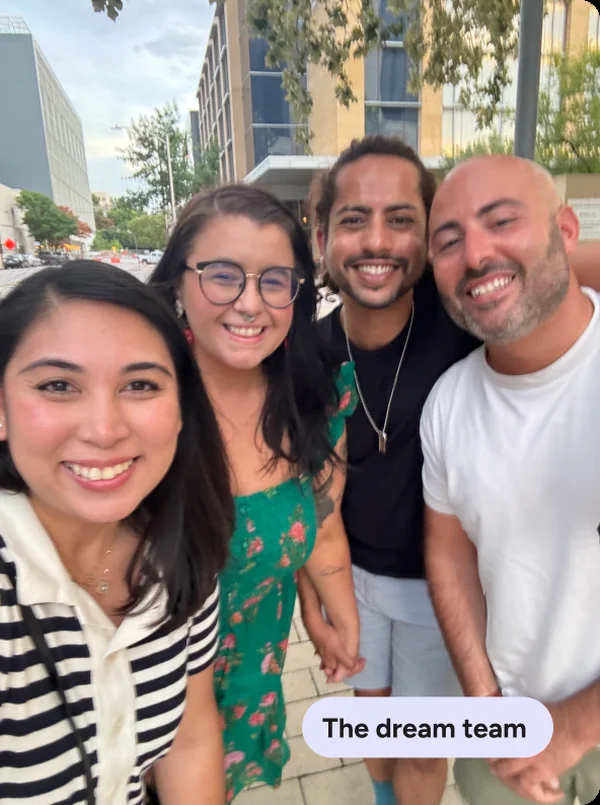
I went to ACV's auction site in Austin with the team to see how a sale actually runs, from check-in and lane assignments to the booth setup and check-out. I interviewed block clerks and auctioneers about how they work, what they rely on and what slows them down. I also asked where their eyes go on the screen, because in a lane a glance is all the time they have. Back home, that became personas, a journey map and a card sort that decided which features belonged in which app.
03 · The system
Three apps, one sale,
no take-backs.
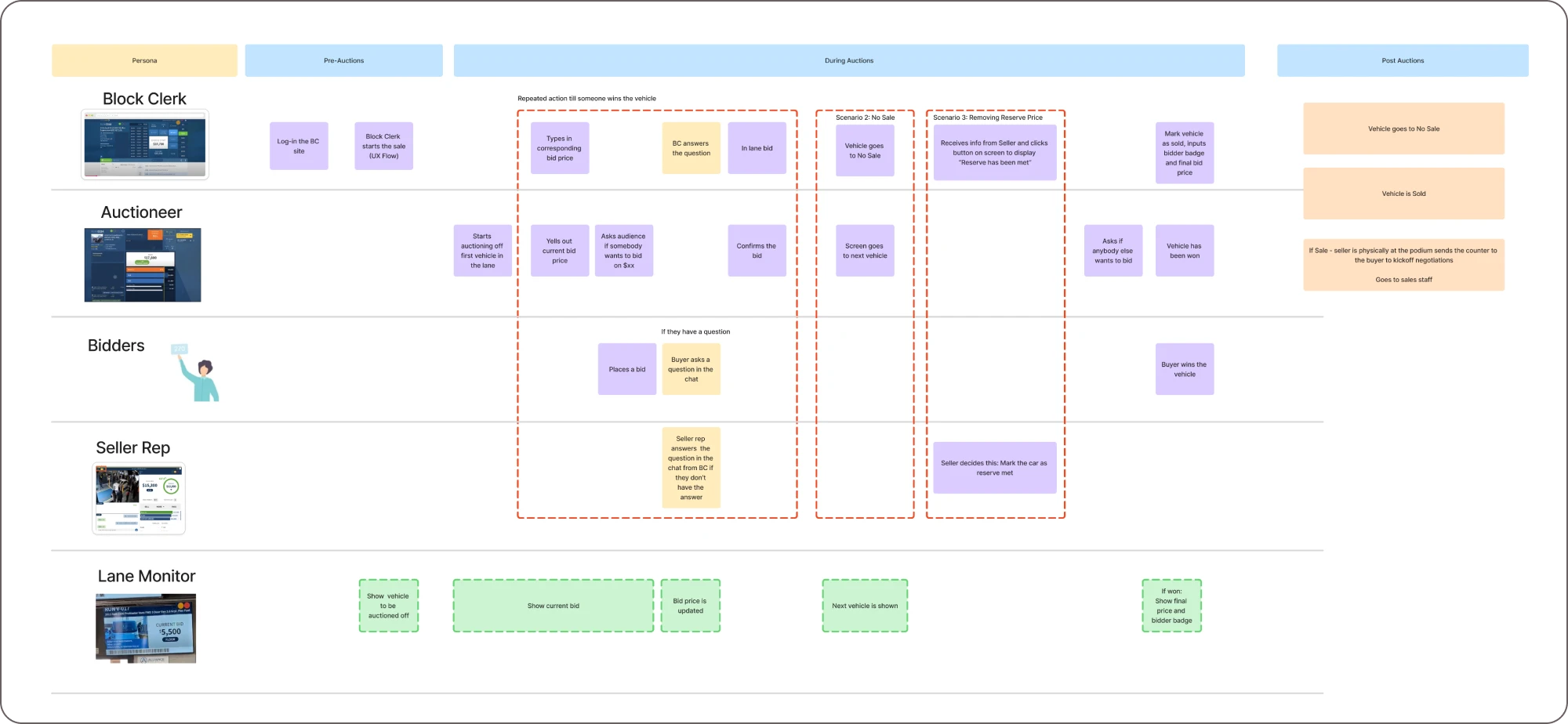
DigiCast is three apps working on the same sale at the same time, one for each person who runs it.
Starting bids, increments, If Sale and No Sale, and overrides on online bids. Keyboard-first, because there's no time to reach for a mouse mid-sale.
Read-only on purpose. Their voice and attention are on the room, so it shows only the car, the current bid and whether the seller rep is online.
Answers a counteroffer, messages the lane and speaks for the seller in real time, without being in the room.
Every action in one app shows up in the other two, so this map traces a single car from start to sold.
04 · The tough call
The best new interface was one they'd barely notice.
Start fresh with a completely new interface.
Keep the patterns they already know, add ACV standards and make targeted UX and UI improvements.
In a live sale, nobody has time to learn something new. Most users are contractors with years on other software, so I kept the experience familiar and spent the effort connecting the lane to the ACV marketplace. Online bidders and the room see the same car, details and bids in real time.
05 · The screens
Three seats in the same sale.
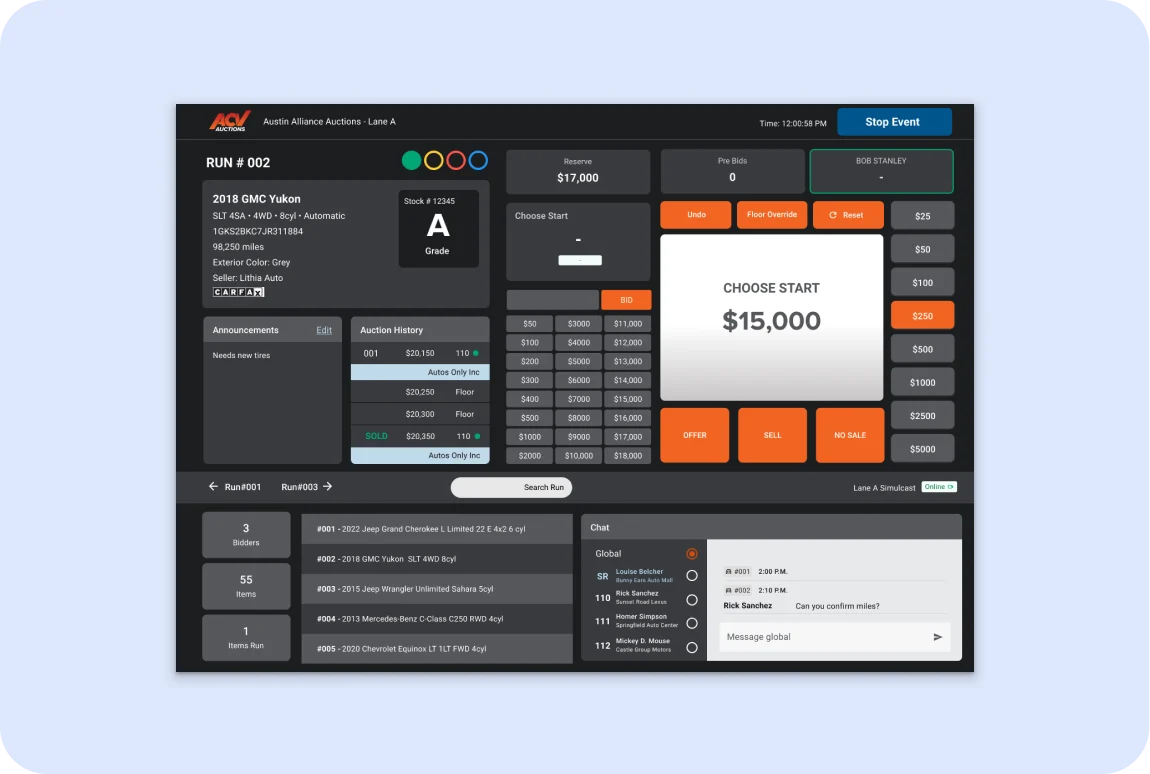
Block clerk: runs the sale
Keyboard-first, because there's no time to reach for a mouse mid-sale. Bids, increments, If Sale and No Sale are each a keystroke away.
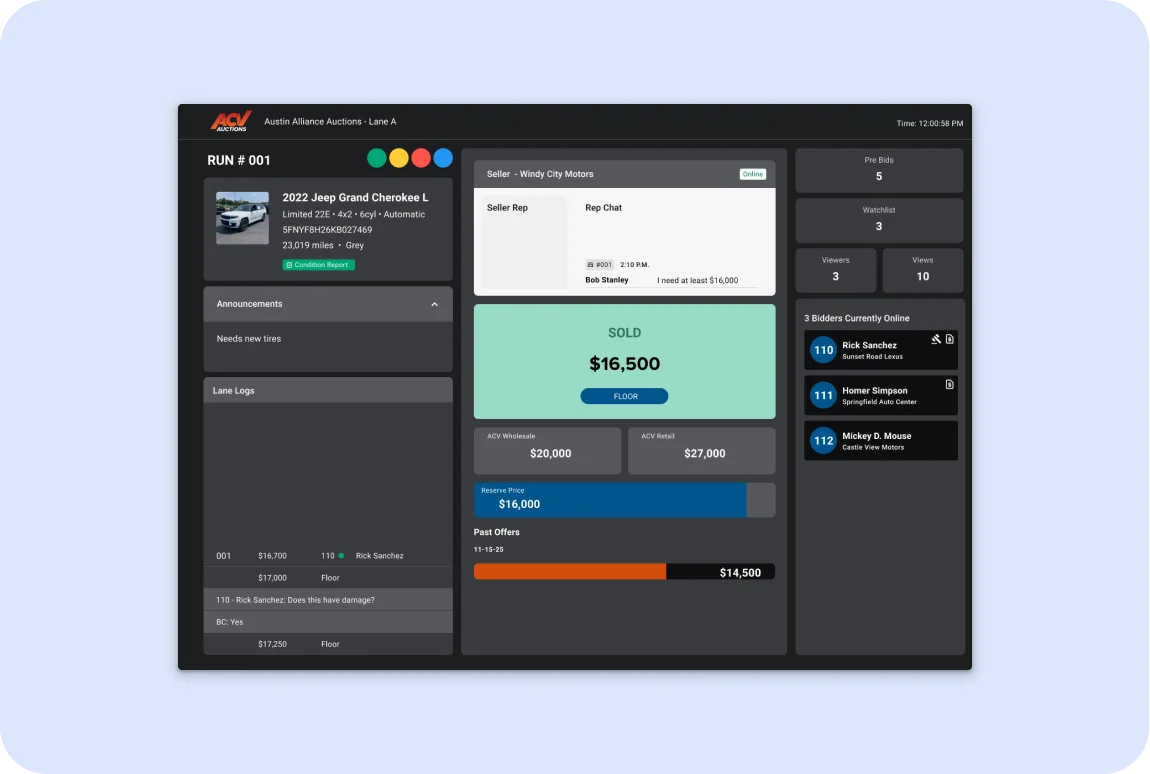
Auctioneer: calls the bids
Read-only on purpose. Their attention is on the room, so it shows only the car, the current bid and whether the seller rep is online.
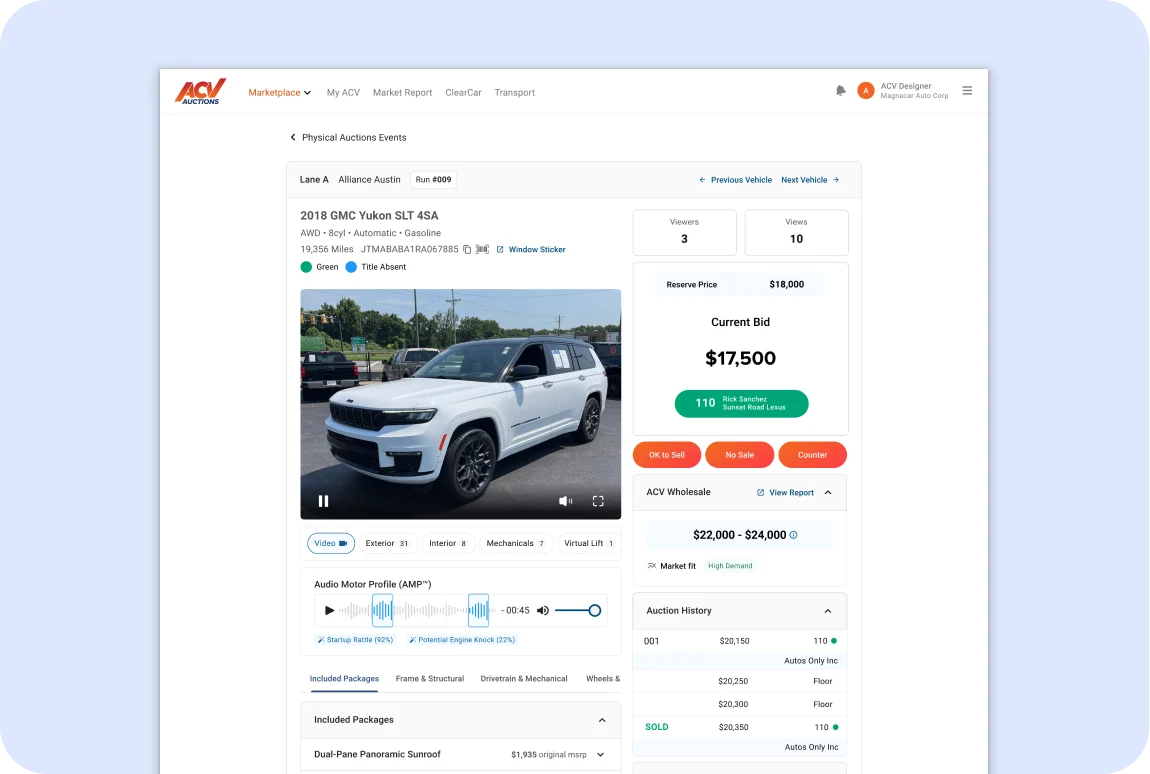
Seller rep: speaks for the seller
Answers counteroffers and messages the lane in real time, so the seller is part of the sale without being in the room.
06 · How I led it
The whole org was in the room.
I owned the design.
- Worked with UX research, my design manager, my UX director and VPs of product from kickoff to handoff.
- Partnered with the lead product designer on the marketplace's buyer side, so online bidders and the lane worked from the same sale.
- Went to Austin with the team and interviewed block clerks and auctioneers.
- Defined the architecture, flows and final UI for all three apps.
- Designed the handoffs so every action showed up in every app at once.
07 · The results
Ready for the lanes,
slated for 2027.
08 · Learnings
In a live sale,
the handoff is the product.
I went in thinking about screens. Austin taught me that a live auction is won or lost in the seconds between them: who needs to know what, and how fast. So I stopped designing each app on its own and designed what happens when one person acts and the other two have to see it instantly. I’d start there on any multi-role product now. It also gave me the idea for LotDrops.
More case studies
Thanks for reading.
Head back home, or browse the rest of my work.